
Client portal development explained: features to include, what drives the cost, the order of work and when a ready-made tool is enough.
- Egyptian software company since 2010
- Technical support on WhatsApp
Client Portal Development: Features, Cost, Timeline
What a client portal can include, what drives the cost, the order of work from first call to launch, and when a ready-made tool is enough.
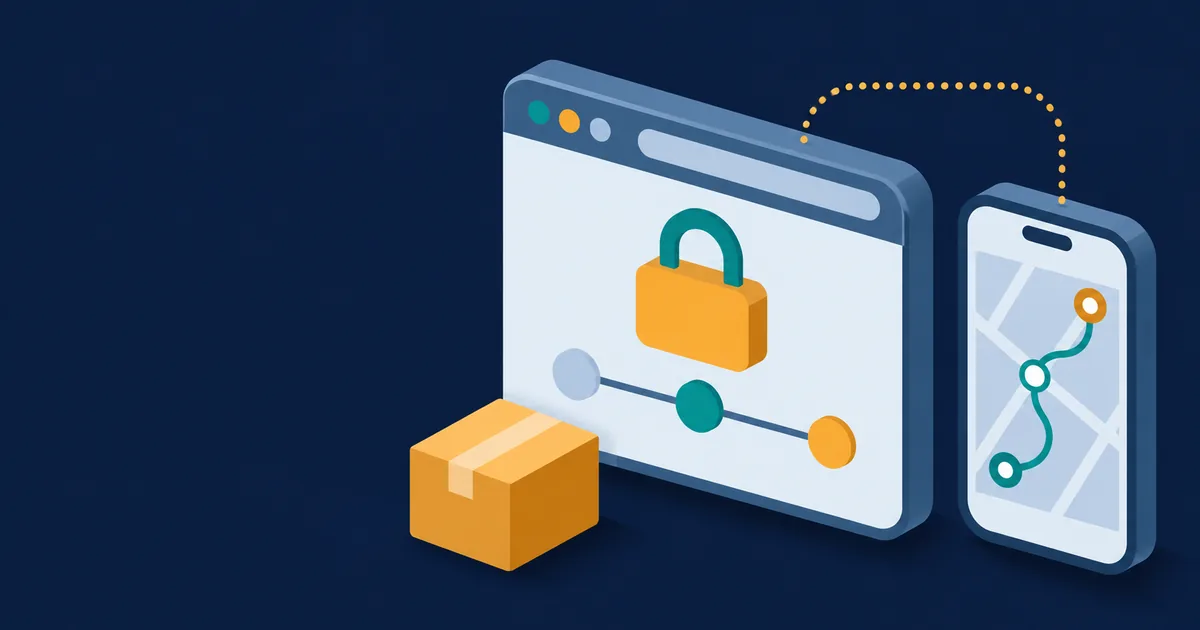
In short: client portal development means building a private login area where your customers see their own orders, documents, invoices or job status, so staff stop answering the same questions by message. Start with login, status and documents, then add requests, approvals and payments once people use it. We do not publish one price, because a status page and a full self-service system are very different projects; we start with a free requirements session and give you a written scope with price and timeline before you commit.
What a client portal is, and why companies build one
A client portal is a private area where your customers log in to see their own information: orders, documents, invoices, requests or the status of their job. It replaces the repeated message “any update?” with a page they can check themselves, and it replaces the pile of attachments in email with one place that has the latest version.
Companies invest in client portal development for three reasons: fewer routine questions for staff, fewer lost or outdated documents, and a more professional experience for the customer. The portal is only worth building if one of these is a real cost for you today.
Features: what a portal can include
Treat the list below as a menu, not a requirement. Each extra feature adds work, so choose the few that remove your most repeated question.
- Secure login with a separate account per customer, and per person where a customer has several staff.
- Status tracking for orders, shipments, projects or requests, with plain stage names.
- Documents: contracts, quotes, invoices and reports, downloadable and always the latest version.
- Requests and uploads: the customer sends a request or a file and it lands in the right record, not in a personal inbox.
- Approvals: the customer approves a quote, a design or a delivery with a recorded date and name.
- Payments: view invoices and pay through a payment link or gateway.
- Notifications by email or WhatsApp when something changes.
- Staff view: what your team sees on the other side, with roles so people only see their own customers.
- History: a log of who did what and when.
How much does client portal development cost?
We do not publish a standard price for portals, because the same word covers a status page and a full self-service system. Cost follows these drivers:
- Number of features from the list above, and how many record types each touches.
- Who the users are. One login per company is simpler than several roles per customer.
- Connections. A portal that reads from your existing system needs that connection built and tested. A portal that is the system is a different project.
- Payments. Online payment adds integration, receipts and reconciliation.
- Security and data rules. Customer separation, backups and an audit log need design, not just a login screen.
- Design and language. Arabic and English with right-to-left support, or your brand’s look, add design time.
What we publish is how we start. Our written requirements analysis for a management system starts from 50 USD, and the first requirements session is free. After it you receive a written outline with screens, price and timeline before you commit. See the custom systems service.
A practical way to keep the cost down is to build in stages. Version one: login, status and documents. Version two, after customers use it: requests, approvals and payments.
Client portal development timeline: the order of work
We do not quote a number of weeks before we know the features, because the honest answer depends on them. The order of work is stable:
- Requirements session. Which questions do customers ask most? What do staff copy and paste every day?
- Written scope. Screens for customers, screens for staff, roles, connections, price and timeline.
- Data and access design. How customer records are separated, who can see what, how files are stored.
- Build in stages. Login and status first, then documents, then the rest.
- Pilot with a few real customers. Real use finds the confusing words and missing buttons.
- Launch to everyone, with a short guide, and a list of changes for the first weeks.
Build a portal or use a ready-made one?
Ready-made portal tools are a good answer for simple needs, such as sharing documents and invoices. The trade-offs mirror any build-or-buy decision, which we cover in our build vs buy guide.
| Situation | Lean towards |
|---|---|
| You only need document sharing and invoices | A ready-made tool. |
| Status must come from your own operational data (shipments, trips, jobs) | Custom, connected to that data. |
| Customers start requests on WhatsApp and staff retype them | Custom, so requests land in the right record. |
| Different customers must see strictly different data | Custom, with permissions designed in. |
| You want your own branding and language | Check the tool’s limits; otherwise custom. |
How to build a client portal: what to prepare
You can shorten the first session a lot by preparing four things:
- The five questions customers ask staff most often.
- The stages a job or order passes through, in the words customers understand.
- Who on your side owns each stage and each document.
- A list of the tools that already hold the data, such as a spreadsheet, an accounting package or an operations system.
Our guide to requirements questions to answer before hiring a developer covers the rest.
Examples from our own work
We have built the customer-facing parts that a portal needs, inside working systems:
- Shipment tracking for a freight company. Each waybill has a number and a status, and the customer receives a tracking link with three stages, sent on WhatsApp. Staff see the same record with roles and a log of every edit. The company name is not published. See the shipping case study.
- Document intake for a travel company. Travellers send documents on WhatsApp, the system saves them into the request file, reads the passport data automatically and a staff member reviews each item before approval. See the tourism case study and our WhatsApp automation page.
Neither of these is a general self-service portal, and we do not call them that. They show how we handle customer links, permissions and WhatsApp intake, which are the hard parts of a portal.
Security basics to settle before you build
A portal exposes customer data to the internet, so the basics matter more than the visuals. Agree these in the written scope, not after launch:
- Separation. Each customer sees only their own records, enforced by the system and not just by a hidden menu.
- Roles for staff. A salesperson, an accountant and a manager do not need the same access.
- Passwords and sessions. Sensible rules for passwords, sign-out and password reset.
- Backups and recovery. Who takes backups, how often, and how you would restore after a mistake.
- An audit log. A record of who changed what, which also settles arguments about what was approved.
Questions we hear
What is a client portal?
A private login area where a customer sees their own orders, documents, invoices or requests, and sometimes sends or approves things.
Can the portal connect to our existing system?
Often yes. It depends on whether the existing system offers a proper way to read its data. This is one of the first things we check in the requirements session.
Can customers use it on their phones?
Yes. We design screens for phone and computer, and an Android app is possible when customers or staff need it.
Is customer data safe?
Safety comes from design: separate access per customer, roles for staff, backups and a log of changes. We agree these in the written scope.
Which question do customers ask you most?
Send us that question and the tool where the answer lives today. We reply on WhatsApp with a suggested first version of a portal, and the first requirements session is free.
Read next: Booking System Development: Build, Buy or Use WhatsApp
Related services
- تصميم مواقع الشركات في مصر
- إنشاء متجر إلكتروني
- برمجة مواقع وأنظمة خاصة
- ايميل رسمي للشركات
- أتمتة واتساب للشركات
- نظام شركات السياحة