
Build vs buy software: a six-question checklist, a comparison table and the middle options, from a team that builds and tells clients when to buy.
- شركة برمجيات مصرية منذ 2010
- دعم فني على واتساب
Build vs Buy Software: A Decision Guide for Small Firms
A six-question checklist, a comparison table and the middle options, written by a team that builds custom systems and tells clients when to buy instead.
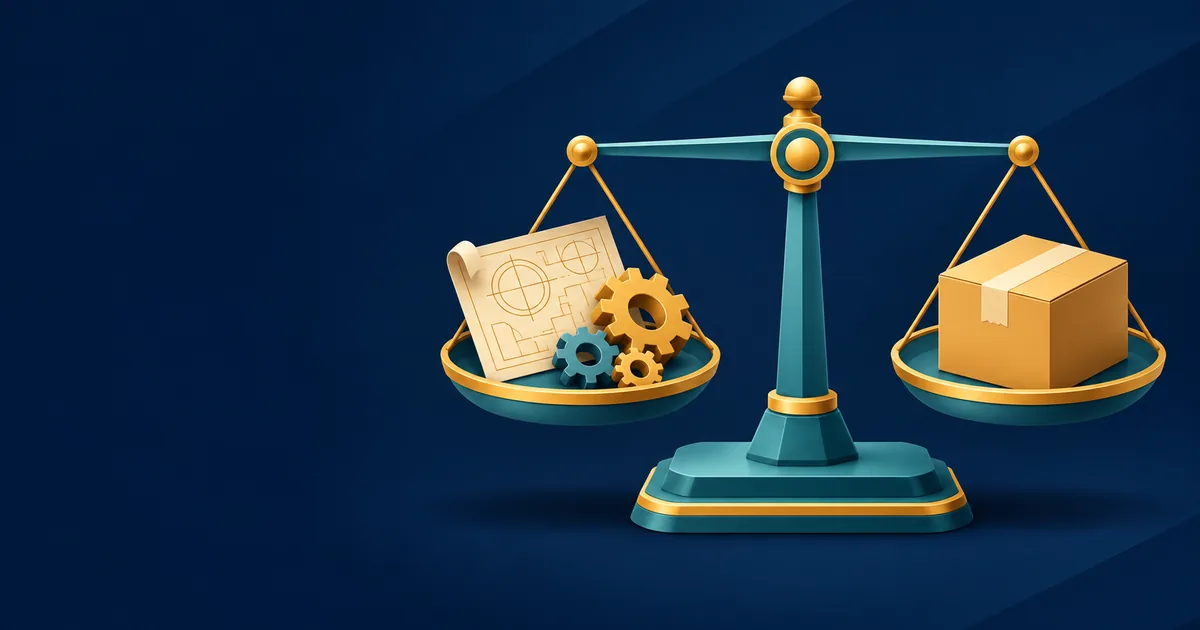
In short: build vs buy software comes down to six checks: whether a product already fits, whether your process is written down, whether it is what sets you apart, which connections you need, who will keep it running and what changes in two years. Buying is cheaper at the start in most cases, and a custom build pays off when your process is unusual or the connections you rely on are unsupported. We build custom systems, so the checklist below sends you towards buying whenever that is the better answer.
The question behind build vs buy software
Every growing business reaches the same point. A spreadsheet or a patchwork of tools no longer keeps up, and someone asks: do we buy a product that exists, or pay someone to build exactly what we need?
The question is usually framed as cost, but cost is only one of six things to check. The others are fit, speed, control, connections and what happens when your business changes. This guide walks through them in a fixed order so you can decide before you ask anyone for a quote.
We build custom systems for a living, so you should know our bias. That is why the checklist below is built to send you towards buying whenever buying is the better answer, and why we say so in the first conversation.
Is it cheaper to buy or build?
Buying is cheaper at the start in almost every case. A subscription needs no design, no build and no testing from you. The comparison that matters is the cost over the years you will actually use the software, and that includes four things people forget:
- Per-user and add-on fees that grow with your team and with each extra feature.
- Workarounds. Time your staff spend copying data between the tool and the way you really work is a cost, even if no invoice shows it.
- Migration. Leaving a tool later means moving your data out, which is easier or harder depending on the vendor.
- Changes. A custom system changes when you ask. A packaged one changes when the vendor decides.
Building costs more at the start and then mostly costs changes and support. We do not quote averages, because they hide the factors that decide the answer. For a systems project, our written requirements analysis starts from 50 USD, and after a free first session you receive a written scope with screens, price and timeline. See the custom systems service.
The six-question decision checklist
Answer these in order. Stop at the first question that gives a clear answer.
- Does a packaged product already do what you need, with only small gaps? If yes, buy it. Small gaps can usually be handled by a setting, a report or a small connection.
- Can you describe your process on one page? If not, write that page first. Both options fail when the process is unclear, and building fails more expensively.
- Is the process what makes you different? Software for payroll or email is not where you compete, so buy it. Software for the part of your service that customers choose you for is where a custom fit earns its cost.
- Do you need connections the product does not support? WhatsApp, a local payment method, a specific printer or an older system in the back office are common examples. Ask each vendor how they connect, in writing.
- Who will own it and keep it running? A packaged product has a vendor. A custom system needs a named support arrangement and a plan for backups and hosting.
- What happens in two years? Estimate how many users, branches and processes you will have. If a product’s limits arrive before then, count the migration cost today.
If questions 1 or 3 give you a clear yes, you have your answer. If question 4 or 6 does, a custom build or a bought product plus a custom connection may be right.
Build vs buy software: a comparison table
| Factor | Buy a product | Build custom |
|---|---|---|
| Start-up cost | Low. | Higher. |
| Time to first use | Usually short. | A scoped build, in modules. |
| Fit to your process | You adapt to the tool. | The tool follows your process. |
| Control of changes | The vendor’s roadmap. | Your priorities. |
| Connections | What the vendor supports. | What you need, built. |
| Running cost over years | Subscription grows with users and add-ons. | Mostly changes and support. |
| Risk if it goes wrong | Switching vendors. | A poorly scoped build; reduce it with a written scope and modules. |
The middle options
It is not always one or the other. Three middle paths are worth a look:
- Buy and connect. Use a packaged product for the standard parts and build only the missing connection, such as a WhatsApp flow or an import from your old files.
- Build the core, buy the rest. Build the module that is unique to you, and buy accounting or email.
- Platforms and low-code tools. They shorten the first build, and they come with their own limits on connections, permissions and price as you grow. Our comparison of website platform, builder or custom development uses the same logic for websites.
Can I build my own software?
You can build a first version yourself with spreadsheets or a no-code tool, and for a tiny team that is often the right first experiment. It stops being a good idea when the person who built it is the only one who understands it, when several people need different permissions, or when the data matters enough that losing it would hurt. At that point, either move to a product or have the next version designed properly.
How to avoid the usual mistakes
- Write the scope before the quote. Our guide to requirements questions to answer before hiring a developer gives you twenty questions and a one-page scope template.
- Compare offers on one scope. Quotes for different scopes cannot be compared.
- Ask what is not included. Hosting, backups, support and changes are the usual gaps.
- Start small. One module in use is worth more than five on paper.
- Agree ownership in writing. Who owns the code and the data, and what happens if you part ways.
Examples from our own work
When a business has an unusual process, a custom build can make sense. We run a shop system that records every device by its serial number and handles installments with a guarantor, with an offline-capable cashier. We built a shipping system around waybills, trips, drivers and collection on delivery. See both on our case-study pages: business modules and shipping. When a business has a standard process, we say so and point to a product.
A hypothetical example, to make the checklist concrete
Take a small distribution company with two warehouses. It sells standard products, invoices in the usual way and keeps accounts with an accountant. Questions 1 and 3 answer themselves: a packaged accounting and stock tool covers it, and the process is not what customers choose the company for. Buy.
Now change one fact. The same company sells devices that must be tracked by serial number, offers installments with a guarantor and wants a reminder sent on WhatsApp when a payment is due. Question 4 now gives a different answer, because the connection and the rules are not standard. A custom module, or a product plus a custom connection, becomes worth pricing. The business did not change size; one requirement changed the answer. This is why we ask about your process before we talk about technology.
Questions we hear
What does build vs buy mean?
It means choosing between paying for a finished product that many companies use, and paying for software made for your own process.
Is custom software worth it for a small business?
Only when the process is specific enough that a product causes daily workarounds, or when connections you rely on are not supported. Otherwise buy.
Can we start with a product and build later?
Yes. Check how you can export your data, so the move later is possible.
Not sure whether to build or buy?
Send us three lines about your process and the tools you use today. We reply on WhatsApp with an honest view, including when the answer is to buy a product. The first requirements session is free.
Read next: Booking System Development: Build, Buy or Use WhatsApp · POS System Development: Offline-First Cashier Software
خدمات مرتبطة
- تصميم مواقع الشركات في مصر
- إنشاء متجر إلكتروني
- برمجة مواقع وأنظمة خاصة
- ايميل رسمي للشركات
- أتمتة واتساب للشركات
- نظام شركات السياحة